Omniverse for Automation Simulation
Automotive
Robotics
Synthetic Data
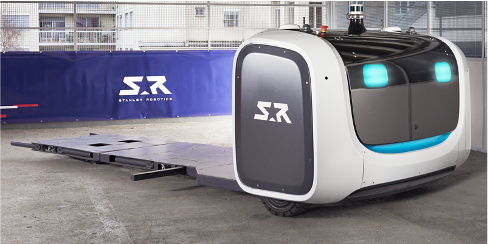
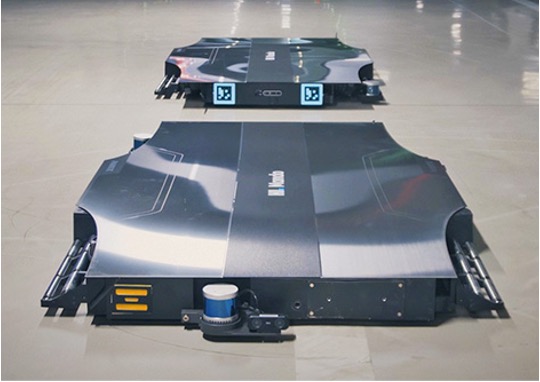
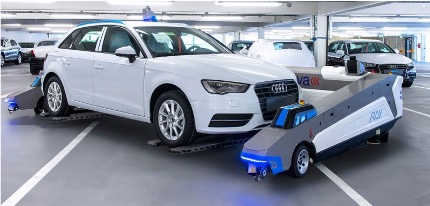
Our automotive customer needed to automate the movement of cars coming off the production line to various stations in the factory.
| Differential Drive | Omnidirectional Drive | Ackermann Steering |
|---|---|---|
 |
 |
 |
Various robots and even tele-operation solutions exist, but exploring them all with pilot projects would have taken too long, been too costly and it would have disrupted the production line.
Simpler scenario calculations did not answer the really important questions:
- How many robots do we need to cover all shifts and all stations?
- How do the robots behave in a realistic environment, including limited space, limited battery life, and other traffic?
- How can we adapt our factory layout to optimize the flow of robots and cars? How does this change the number and type of robots we need?
Approach
We built a simulation environment in NVIDIA's Isaac Sim to answer these questions, and to simulate the behavior of different types of autonomous mobile robots (AMRs) in a factory setting.
Using the library of open source robot models for ROS and synthetic data generation capabilities of Omniverse, the Motius team put together realistic simulations of each robot type, and the factory environment.
Software Architecture
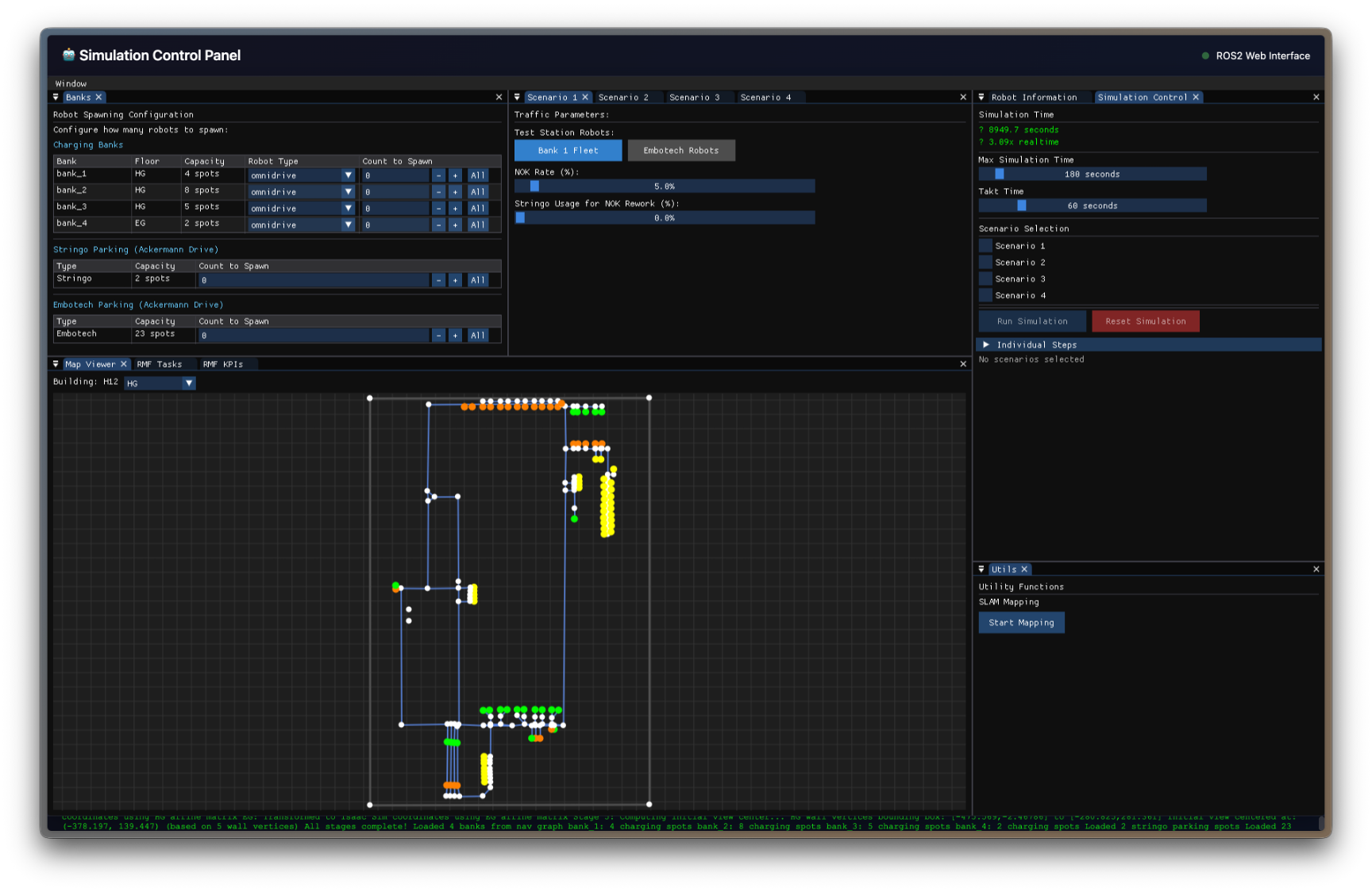
Next to Isaac Sim, we needed a central fleet manager to realistically control the robots. The scenarios also needed to be controlled and monitored.
-
Isaac Sim Environment
The simulation environment is built using NVIDIA's Isaac Sim, which provides a realistic physics engine and rendering capabilities for simulating autonomous mobile robots (AMRs) in a factory setting.
-
Integration Points
OpenRMF integrates with the simulation environment to send commands, create robots dynamically, and provide real-time feedback on robot poses.
Finally, results of the simulation (robot types, number, performance, etc.) needed to be logged and analyzed.
graph TD

subgraph "Isaac Sim Environment"
    Workspace[Factory Workspace Model]

    subgraph AMR["AMR Abstractions"]
        DiffDrive[Diff Drive AMR]
        Ackermann[Ackermann AMR]
        OmniDrive[Omni Drive AMR]
    end

    subgraph "ROS2 Bridge"
        CmdSub[Command Subscribers]
        TFPub[TF Publishers]
    end

    subgraph "Custom Bridge"
        RobotCreator[Robot Creator Service]
        Spawner[Robot Spawner]
    end
end

subgraph "External Components"
    ImGUI["ImGUI Interface"]
    OpenRMF[OpenRMF Commands]
    ROS2Nodes[External ROS2 Nodes]
end


ROS2Nodes --> CmdSub
TFPub --> ROS2Nodes

OpenRMF --> ROS2Nodes
RobotCreator --> Spawner
Spawner --> DiffDrive
Spawner --> Ackermann
Spawner --> OmniDrive

ImGUI --> RobotCreator

CmdSub --> AMR

AMR --> TFPubOpenRMF
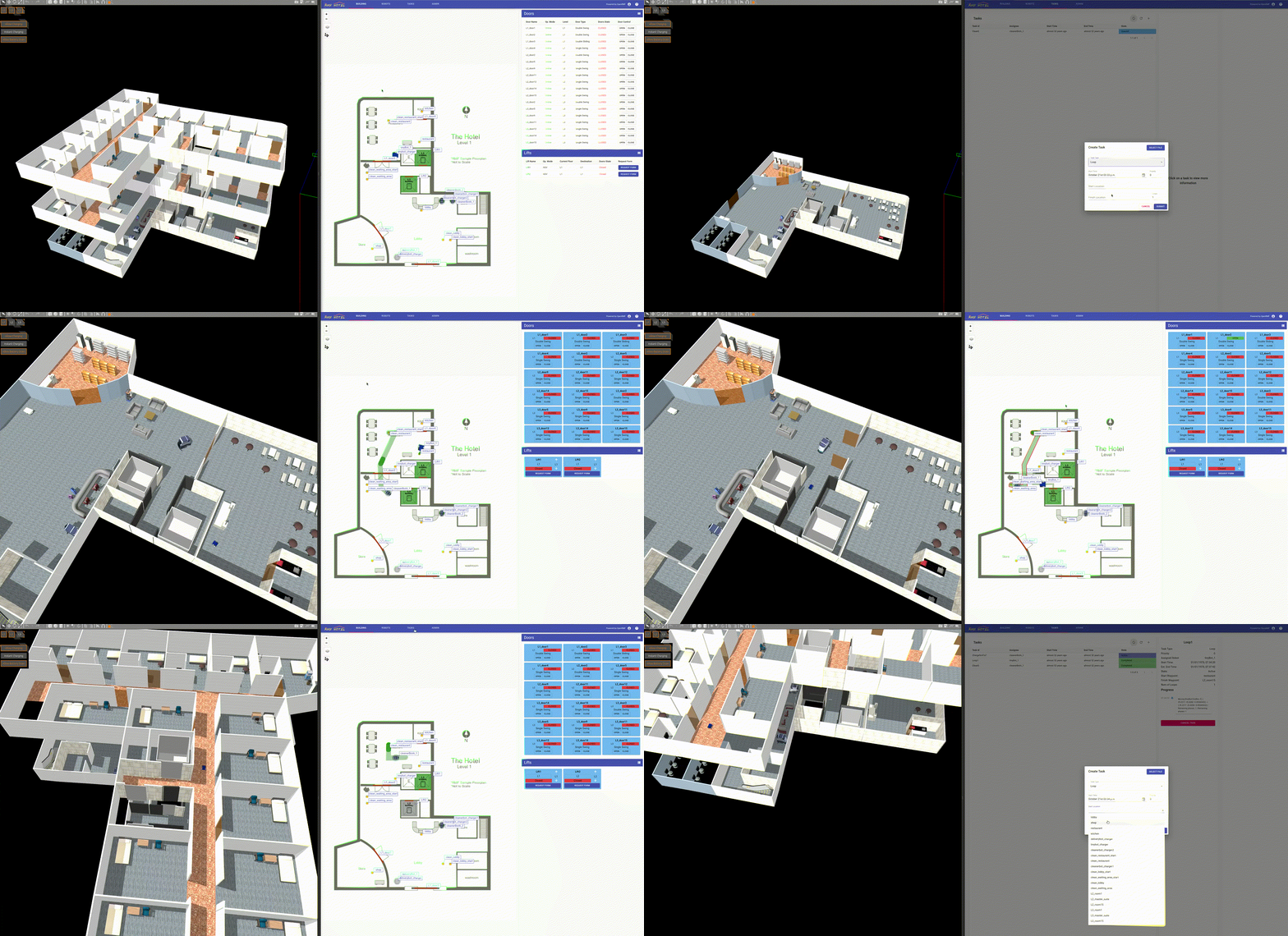
Demo video of Open RMF in a multi-story office building
OpenRMF is used as a fleet management system and central map server:
- Each robot gets its own Zenoh bridge for isolated control
- Traffic Management prevents AMRs from crashing into each other using the building map and tracks where each robot is going
- Web dashboard lets operators the status of the robot and task execution
- We built tools to import maps and define zones of interest
OpenRMF Architecture
graph TD

ZenohRouter["Zenoh Communication Router<br/>Data routing & discovery"]

subgraph Robots["Robots"]
    ZenohBridge1["Zenoh to ROS2 Bridge<br/>robot_1"]
    ZenohBridge2["Zenoh to ROS2 Bridge<br/>robot_2"]
end

subgraph OpenRMF["OpenRMF"]
    TrafficSchedule["Traffic Scheduling Service<br/>Collision avoidance & flow optimization"]
    FleetAdapter["Fleet Adapter Service<br/>Robot command & status interface"]
    Dashboard["Fleet Management Dashboard<br/>Web UI for monitoring & control"]
    APIServer["API Server<br/>REST & WebSocket APIs"]
    TrajectoryViz["Trajectory Visualization Service<br/>Real-time path monitoring"]
    MapServer["Building Map Server<br/>Spatial data & navigation maps"]
end

ZenohRouter --> ZenohBridge1
ZenohRouter --> ZenohBridge2
Robots ---> TrafficSchedule
Robots --> FleetAdapter
MapServer --> TrafficSchedule
TrafficSchedule --> APIServer
FleetAdapter --> APIServer
APIServer --> Dashboard
APIServer --> TrajectoryVizControl Plane
Development Workflow
- Our simulation runs in a Kubernetes cluster, allowing us to develop and test scenarios locally or in the cloud.
- Bazel is used to manage dependencies and build the simulation environment, ensuring a consistent and reproducible development workflow.
Structure in Bazel
graph TD

subgraph "Bazel Module"
    subgraph Core[Core Applications]
        TeleopApp[Teleop App]
        subgraph "ImGUI Application"
            ImGUIApp[ImGUI App]
        end
        subgraph "Simulation Scenarios"
            ScenarioManager[Scenario Manager]
            ParamHandlers[Simulation Parameters]
        end
        DispatchLogic[Scenario Dispatch Logic]
    end

    subgraph "Communication Layer"
        ZenohBridge[Zenoh-ROS2 Bridge]
        MsgPkg[ROS2 Messages & Services Package]
    end

    subgraph "Hardware Simulation"
        BatterySim[Battery System Simulation]
        HWSims[Other Hardware Simulations]
    end
end

subgraph External[External Systems]
    FleetManager[Fleet Manager]
    IsaacSim[Isaac Sim Environment]
    Xpra[Xpra Streaming Server]
end

ImGUIApp --> ParamHandlers
ImGUIApp --> DispatchLogic
ParamHandlers --> ScenarioManager
DispatchLogic --> ScenarioManager

ImGUIApp --> Xpra

TeleopApp --> IsaacSim

Core -- External

DispatchLogic -->FleetManager
DispatchLogic --> IsaacSim

ZenohBridge <--> IsaacSim
BatterySim <--> ZenohBridge
HWSims --> ZenohBridgeDeployment
Our simulation runs in Kubernetes, both locally for engineering, and in a cloud environment for executing long-running scenarios.
The cloud deployment comes with external systems that allow remote access, tracking KPIs of the scenarios, and tracing simulation execution.
Application at Keller & Kalmbach
Using the Omniverse simulation environment, Keller & Kalmbach can now:
- Simulate automation scenarios with mobile & stationary robots, at 80% accuracy in only 20% of the time it would take to pilot them
- Test real software components in a physics-based simulation environment
- Easily give your IT & OT engineers access to this environment to verify their own changes